




What Is MT4?
MT4 stands for MetaTrader 4. MetaQuotes released it in 2005. It’s a trading platform built mainly for forex trading. Millions of traders still use it today. Brokers built huge libraries of custom tools around it over two decades. That’s its biggest strength.
What Is MT5?
MT5 stands for MetaTrader 5. MetaQuotes released it in 2010, five years after MT4. It’s the newer, broader platform. It handles forex too. But it also covers stocks, futures, and bonds. It backtests faster. And it comes with tools MT4 never had, like a built-in economic calendar.
Both platforms come from the same company. Both use similar charts and one-click trading. So why do people still argue about which one to use? Let’s get into it.
Why This Debate Still Exists
MT5 has been around since 2010. Yet traders still search “MT4 vs MT5” every day. Here’s why. Long-time forex traders built their entire workflow around MT4. They have EAs that work. They know the interface by heart. Switching feels risky, even when the newer platform is objectively better.
New traders face a different question. They’re not switching from anything. They just want to know where to start. For them, the answer is simpler than the debate suggests.
MT4 vs MT5 at a Glance
Trader Type |
Recommended Platform |
|---|---|
Beginners |
MT5 |
Forex-Only Traders |
MT4 |
Multi-Asset Traders |
MT5 |
Copy Traders |
MT5 |
Algorithmic Traders |
MT5 |
Scalpers |
MT5 |
Existing MT4 Users |
Depends — see below |
Want an MT5 broker with solid conditions? Compare the best MT5 brokers →
MT4 vs MT5: Key Differences
Feature |
MT4 |
MT5 |
|---|---|---|
Release Year |
2005 |
2010 |
Asset Classes |
Mainly Forex |
Multi-Asset |
Timeframes |
9 |
21 |
Pending Orders |
4 |
6 |
Economic Calendar |
No |
Yes |
Market Depth (DOM) |
Limited |
Yes |
Strategy Tester |
Single-Thread |
Multi-Thread |
Hedging |
Yes |
Yes |
Netting |
No |
Yes |
Built-In Indicators |
30 |
38 |
Built-In Objects |
31 |
44 |
MT4 in Detail
Key features: one-click trading, MQL4 Expert Advisors, 9 timeframes, and hedging. It also has the largest indicator library in the industry, built up over 20 years.
Advantages: it’s familiar. It’s light on hardware. And it has more free custom tools than any other platform.
Limitations: no built-in calendar. A slow, single-threaded strategy tester. Fewer order types. No netting mode.
Best for: forex traders with a working EA system already in place. Or anyone who simply prefers a simpler, older interface.
MT5 in Detail
Key features: 21 timeframes, 6 pending order types, MQL5 Expert Advisors, and native stock and futures support. It also runs cloud-based strategy optimization.
Advantages: faster backtesting. Deeper market data. Broader asset coverage. And it’s the platform MetaQuotes keeps investing in.
Limitations: fewer legacy indicators than MT4, though the gap is closing fast. Also, MQL4 EAs don’t run on MT5 without real rework.
Best for: new traders. Multi-asset traders. Copy traders. And anyone building automated strategies from scratch.
Feature-by-Feature Comparison
User Interface
MT4 is simple and uncluttered. It feels familiar fast. MT5 adds more panels — like Depth of Market and the calendar — so it takes a bit longer to learn. Winner: MT5, for the extra tools. But MT4 stays perfectly usable if you don’t need them.
Available Markets
MT4 covers forex well. It handles some CFDs too. But real stocks, futures, and bonds are limited or missing. MT5 covers all of these natively. Winner: MT5, clearly, for anyone trading beyond forex.
Charting Tools
MT5 ships with more indicators and more drawing tools out of the box. MT4 still wins on third-party tools, thanks to its bigger community. But for built-in charting alone, MT5 wins.
Order Types
MT4 gives you 4 pending order types. MT5 gives you 6. That extra pair — buy stop limit and sell stop limit — helps rules-based traders enter with more precision. Winner: MT5.
Timeframes
MT4 covers 9 timeframes, from M1 to MN1. MT5 fills in the gaps with 21 total, so you can check M2, M3, H2, H3, and more without switching charts. Winner: MT5.
Economic Calendar
MT4 has none. You need an outside site or a plugin. MT5 builds it right in. Winner: MT5.
Market Depth
Depth of Market shows live buy and sell orders stacking up at each price. MT4’s version is thin and broker-dependent. MT5’s is fuller and more consistent. Winner: MT5.
Strategy Testing
This is the biggest gap between the two. MT4 tests one thread at a time, so a big backtest can take hours. MT5 runs multiple threads at once. It also tests several currencies together and can spread the workload across cloud agents. If you build or refine EAs, this alone might be worth switching for. Winner: MT5, by a wide margin.
Expert Advisors
MT4 EAs run on MQL4. MT5 EAs run on MQL5, a newer language with better performance. The two don’t cross over. An MT4 EA won’t run on MT5 just because you recompile it — the order-handling logic changed too much. You’ll need to rebuild it and test it again. Winner: MT5 for new EAs. But existing MT4 EA owners face a real project, not a quick switch.
MT4 vs MT5 for Different Trading Styles
Scalping
Speed here comes from your broker, not the platform. Still, MT5’s extra timeframes and DOM panel help. Pick MT5.
Day Trading
MT5’s built-in calendar and wider timeframe range help you track more setups in one session. Pick MT5.
Swing Trading
Speed matters less here. But MT5’s netting mode and broader market access still make it the safer long-term pick. Pick MT5 — though MT4 works fine too.
Copy Trading
Most copy trading tools, including MQL5 Signals, are built around MT5 first. Pick MT5.
Automated Trading
The faster tester and multi-currency backtesting make MT5 the clear pick for anyone building or improving EAs. Pick MT5.
Beginners
You have no old EAs and no old habits holding you back. So there’s little reason to start on the older platform. Pick MT5.
MT5 Advantages Most Traders Miss
- Faster backtesting: a test that takes hours on MT4 can finish in a fraction of that time on MT5.
- Built-in calendar: no extra tab, no plugin needed.
- More order types: better control over conditional entries.
- Better market depth: a fuller view of live orders.
- Wider asset coverage: stocks, futures, and bonds, alongside forex.
- Stronger long-term support: MetaQuotes stopped issuing new MT4 broker licenses in 2022. So its investment now goes into MT5.
Why Some Traders Still Prefer MT4
- Familiarity: two decades of muscle memory don’t vanish overnight.
- Bigger EA marketplace: MT4’s third-party library is still larger, even as MT5 catches up.
- Legacy indicators: some MQL4 tools were never rebuilt for MQL5.
- Working systems: if your MT4 setup is profitable, there’s no reason to fix what isn’t broken.
- Lower hardware needs: MT4’s smaller footprint still helps on older machines or budget VPS plans.
Beyond MT4 and MT5: Altanative Platforms Worth Considering
MT4 and MT5 aren’t the only options. Some traders want something different. So before you commit, it’s worth knowing other alternatives out there.
cTrader
cTrader is the most common alternative. Many of the same brokers that offer MT5 also offer cTrader, so switching isn’t hard.
Advantages
- Cleaner, more modern interface
- Deeper, more transparent order book (Level II)
- Built for true ECN-style trading, with full price transparency
- cAlgo lets you build bots in C#, a widely used language
Disadvantages
- Fewer brokers support it than MT4 or MT5
- Smaller EA and indicator community
- Less educational content out there for beginners
Who should consider it: traders who want ECN-level transparency and a cleaner chart. Also a good fit if you already know C# and want to build your own bots.
TradingView (via broker execution)
Some brokers, like Eightcap, let you place trades right from TradingView’s charts. You get TradingView’s charting — which many traders already prefer — with real order execution behind it.
Advantages: excellent charting and social features. Also, no need to learn a second interface if you already use TradingView daily.
Disadvantages: fewer brokers support direct execution this way. EA support is also more limited than MT5’s.
Proprietary Broker Platforms
Some brokers build their own apps — AvaTradeGO is one example. These usually simplify the experience for beginners.
Advantages: easier to learn. Often better mobile design too.
Disadvantages: fewer advanced tools. You’re also locked into one broker’s ecosystem, since these platforms don’t transfer if you switch brokers.
What MT4/MT5 Interface Could Look Like
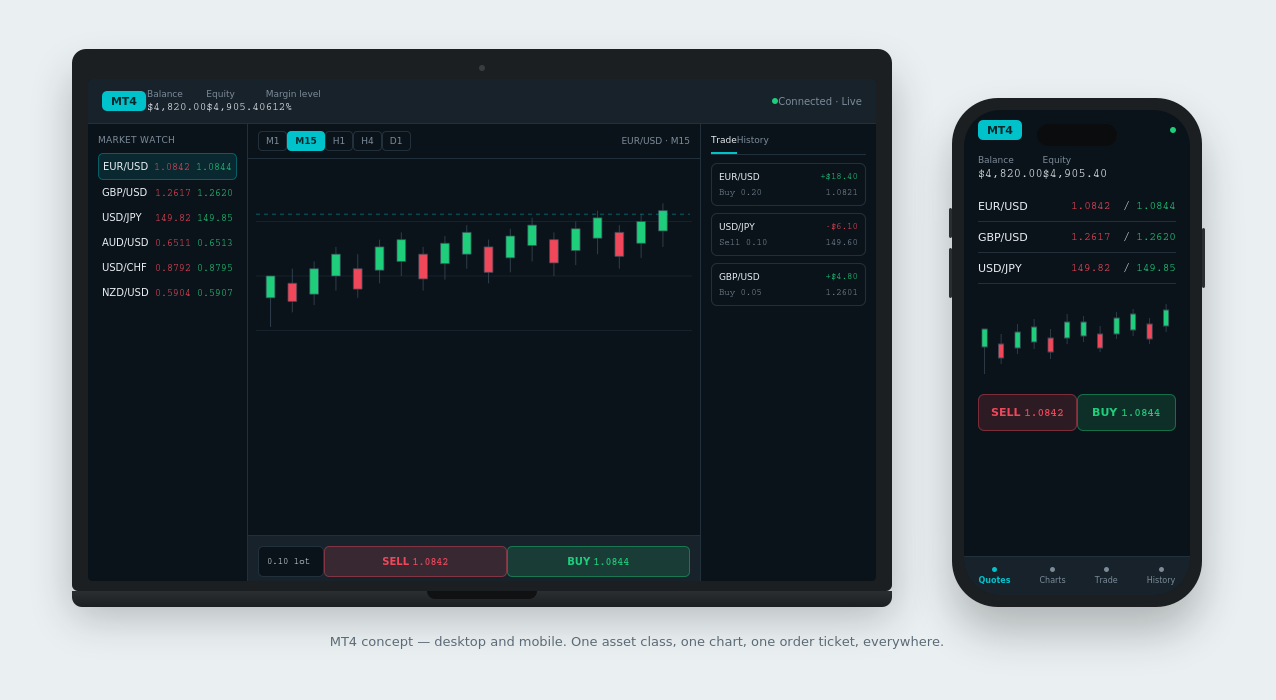
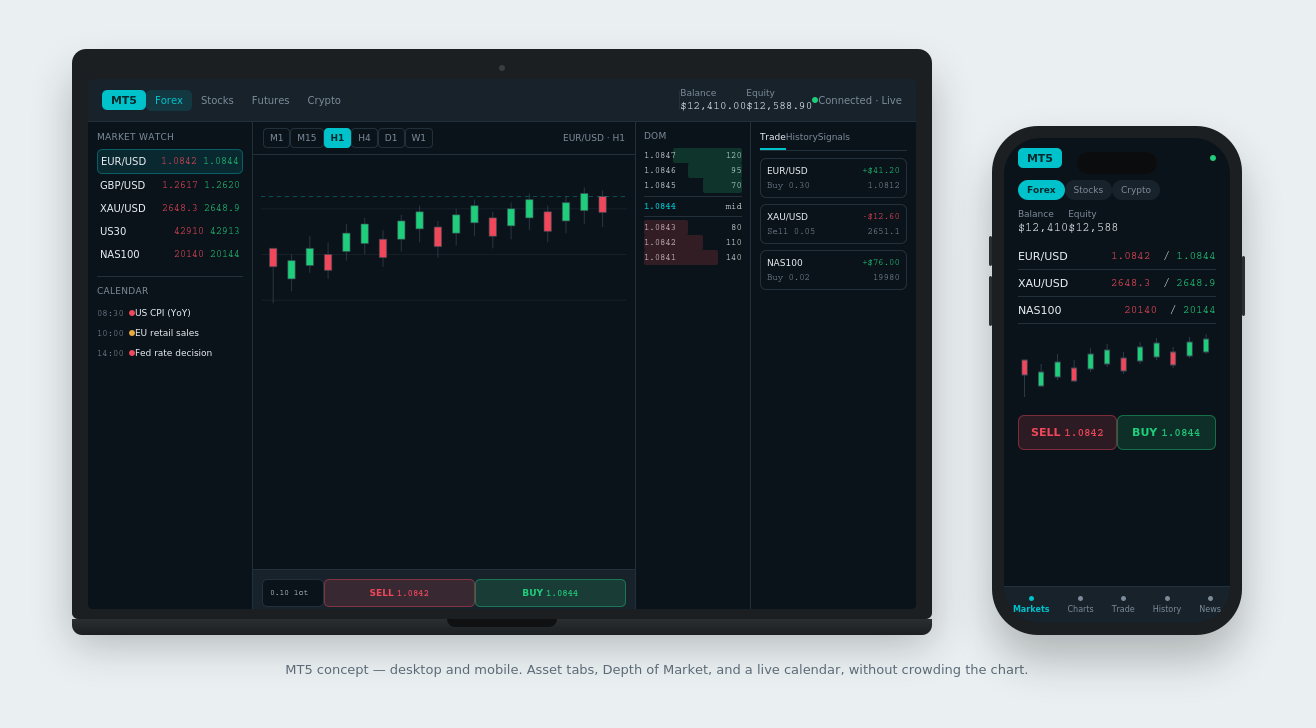
MT4 and MT5 are powerful. But their default interfaces aren’t the most beginner-friendly. Here’s a concept for each — shown on desktop and mobile.
Can You Use MT4 and MT5 at the Same Time?
Running both: yes. You can install both on one computer. Most brokers that offer both platforms will let you open an account on each.
Separate accounts: each platform needs its own account, even at the same broker. They’re not interchangeable. Still, you can usually move funds between them through your broker’s client portal.
Running multiple strategies: some traders keep an old MT4 EA running while they build new strategies on MT5. That way, the switch happens gradually, not all at once.
Should Existing MT4 Users Upgrade?
When it makes sense
Multi-asset trading: want to add stocks or futures? MT5 is close to mandatory.
New EA development: starting from scratch removes the migration cost. So you may as well build it in MQL5.
Copy trading: most modern tools, including MQL5 Signals, are built around MT5.
Faster backtesting: if slow tests are holding you back, MT5’s speed alone can justify the move.
When to stay on MT4
A profitable EA system: if it works, don’t risk it for a switch with no guaranteed payoff.
Legacy indicators: some tools were never ported. That’s a real, sometimes permanent blocker.
An established workflow: retraining muscle memory has a cost too, especially if you trade fast and by feel.
Broker Support in 2026
Why brokers keep pushing MT5
MetaQuotes stopped issuing new MT4 broker licenses in 2022. That put MT4 into maintenance mode — still supported, still patched, but no longer actively developed. So brokers face a choice: keep running older MT4 infrastructure, or shift new accounts toward MT5, where MetaQuotes is actually investing.
Is MT4 being phased out?
Not everywhere, and not by MetaQuotes directly. But it’s no longer just a rumor. OANDA’s Japanese entity has set a real shutdown date. New MT4 sub-accounts stopped in March 2026. New order placement was set to stop on September 25, 2026. Full termination is scheduled for November 27, 2026. The broker cited MetaQuotes’ lack of ongoing maintenance as the reason. That’s one broker’s regional entity, not an industry-wide deadline. Still, it shows where things are heading.
Which brokers offer both?
Vantage, IC Markets, Pepperstone, HFM, XM, and Fusion Markets all currently support MT4 and MT5.
Weighing a broker that runs both platforms well? See our full Best MT5 Brokers ranking →
Which Platform Do We Use?
Our verdict: we point readers to MT5 by default. It backtests faster. It covers more markets. And MetaQuotes is investing there, not in MT4. That combination makes it the safer long-term pick for most traders.
Why we lean toward MT5
- Better ongoing development from MetaQuotes
- More built-in tools, so fewer plugins needed
- A genuinely better environment for testing and refining EAs
- Stronger support for whatever new products come next
Why MT4 still matters
- A huge existing EA ecosystem that MT5 hasn’t fully replaced
- Two decades of trader familiarity
- A long, proven track record
Final Verdict: MT5 vs MT4
Choose MT5 If You:
- Are a new trader
- Trade multiple asset classes
- Use copy trading
- Build automated strategies
- Want the more future-proof platform
Choose MT4 If You:
- Already have a profitable MT4 setup
- Depend on legacy EAs
- Use custom indicators MT5 doesn’t have
- Don’t need MT5’s newer features
Frequently Asked Questions
Is MT5 better than MT4?
For most traders starting today, yes. MT5 offers more timeframes, a built-in calendar, multi-asset support, and much faster backtesting. MT4 still suits traders with existing MT4 EAs or indicators.
Why do some traders still use MT4?
Familiarity. A bigger legacy indicator library. And working systems that don’t need fixing.
Can MT4 and MT5 use the same account?
No. Each platform needs its own account, even at the same broker. But you can usually move funds between them.
Are MT4 EAs compatible with MT5?
Not directly. MT4 uses MQL4, MT5 uses MQL5. Moving an EA over takes real rework, not a simple recompile.
Is MT4 being phased out?
Not everywhere. But MetaQuotes stopped issuing new MT4 broker licenses in 2022. And at least one broker, OANDA Japan, has set a full 2026 shutdown date for its MT4 servers.
Which platform is better for beginners?
MT5. New traders have no old workflow tying them to MT4, so they get more built-in tools from day one.
Which platform is better for scalping?
Execution speed depends on your broker, not the platform. Still, MT5’s extra timeframes and DOM panel give scalpers a slight edge.
Which platform is better for copy trading?
MT5. Most modern copy trading systems, including MQL5 Signals, are built around it.
Is cTrader better than MT4 or MT5?
It depends on what you value. cTrader offers a cleaner interface and deeper order book data. But fewer brokers support it, and its EA community is smaller.
Which brokers offer both MT4 and MT5?
Vantage, IC Markets, Pepperstone, HFM, XM, and Fusion Markets all currently support both.
Should I switch from MT4 to MT5?
If you trade multiple assets, want faster backtesting, or use copy trading, yes. If you have a profitable MT4 EA system or rely on MT4-only indicators, there’s no rush.
Final Verdict: MT5 vs MT4
Choose MT5 If You:
- Are a new trader
- Trade multiple asset classes
- Use copy trading
- Build automated strategies
- Want the more future-proof platform
Choose MT4 If You:
- Already have a profitable MT4 setup
- Depend on legacy EAs
- Use custom indicators MT5 doesn’t have
- Don’t need MT5’s newer features
Related reading: Best MT5 Brokers · Best MT5 Brokers for Scalping · MT5 vs TradingView · Best MT5 Copy Trading Brokers · Vantage Review · IC Markets Review · Pepperstone Review · HFM Review · Fusion Markets Review
About the Author
Samson Ononeme is the founder of MarketsXplora, an independent financial education and research platform covering cryptocurrency, forex, brokers, exchanges, trading platforms, and blockchain technology. He focuses on turning complex financial products and platform features into clear, practical information that readers can use when comparing their options. Connect on LinkedIn and X.
Crypto & Blockchain
Forex & Brokers
Financial Research
Trading Platforms