


If you’re torn between the Ledger Nano S Plus vs Ledger Flex, you’re not alone. One is a proven favorite for budget users, while the other redefines convenience with a touchscreen and wireless support. Let’s compare both signers or wallets to see which one you should buy in 2026.
Ledger Flex vs Ledger Nano S Plus: Quick Comparison
Both signers keep your crypto safe, but they go about it in very different ways. When you compare the Ledger Flex vs Ledger Nano S Plus, that $190 price gap quickly starts to show where the money goes—from the Flex’s slick display and wireless design to the Nano S Plus’s simpler, plug-and-play setup.
Ledger Flex
|
Ledger Nano S Plus
|
|
|---|---|---|
Price |
$249 |
$59 |
Display Type |
2.84″ E Ink Touchscreen |
Standard Button Display |
Display Colors |
16 grayscales |
Basic |
Touch Interface |
Yes |
No (Button navigation) |
Connectivity |
Bluetooth 5.2 + USB-C |
USB-C only |
iOS Compatible |
✅ Yes |
❌ No |
Android Compatible |
✅ Yes |
✅ Yes |
Desktop Compatible |
✅ Yes |
✅ Yes |
Battery |
200mAh built-in |
Battery-free |
Weight |
57.5g |
21g |
Dimensions |
78.4 x 56.5 x 7.7mm |
62.39 x 17.40 x 8.24mm |
Security Chip |
ST33K1M5 (CC EAL6+) |
ST33K1M5 (CC EAL6+) |
Max Apps |
Up to 100 apps |
15,000+ supported |
Recovery Key Included |
✅ Yes (Smart card) |
❌ No |
Clear Signing |
✅ Yes |
❌ No |
NFT Lock Screen |
✅ Yes |
❌ No |
Shipping |
Free (ships in 24hrs) |
Standard |

What Is the Ledger Flex?
The Ledger Flex, launched in 2024, is Ledger’s newest release and arguably its most ambitious. It’s the first Ledger wallet with a sleek E Ink touchscreen, built-in Bluetooth, and full iPhone support, bringing a premium feel to crypto security. It’s the kind of wallet that makes cold storage feel a little less “cold” — ideal for users who want both top security and a smoother everyday experience.
If you would like to learn more about this device, check out our full Ledger Flex review
What Is the Ledger Nano S Plus?
The Ledger Nano S Plus, released in 2022, is the upgraded successor to the original Nano S—the model that made Ledger a household name in crypto storage. Meanwhile, the Ledger Nano S Plus remains a fan favorite for a reason. It’s affordable, reliable, and still delivers the same bank-grade security that’s made Ledger the go-to name in this space. With its classic USB design and wide coin support, it’s perfect for anyone who wants straightforward protection without the bells and whistles.
Read our full Ledger Nano S Plus review
Ledger’s full lineup also includes the Nano X and the Ledger Stax, but for most users, the choice really comes down to the Flex vs Nano S Plus — the latest innovation or the tried-and-true essential.
Let’s break down how these two stack up, starting with the one thing most buyers look at first: price and value.
Price & Value Breakdown
When you compare Ledger Nano S Plus vs Flex wallet pricing, there’s about a 76% difference, but it’s not about one being “more secure” than the other. Instead, you’re really paying for convenience and polish. The Ledger Flex ($249) is built for users with larger portfolios who want a smoother, more flexible experience—especially on mobile. Meanwhile, the Nano S Plus ($59) gives you the same rock-solid security, just without the fancy extras or wireless perks.
Ledger Flex ($249) |
Ledger Nano S Plus ($59) |
|
|---|---|---|
Core Security |
CC EAL6+ chip + Ledger OS |
CC EAL6+ chip + Ledger OS |
Mobile Use |
Full iOS/Android via Bluetooth |
Android only via USB-C |
Screen Quality |
2.84″ touchscreen, NFT display |
Small button-controlled |
Recovery Backup |
Physical Recovery Key card included |
Recovery sheets only |
Transaction Review |
Clear Signing in plain language |
Hexadecimal data |
Best For |
Active traders, DeFi users, iOS owners |
HODLers, desktop users, beginners |
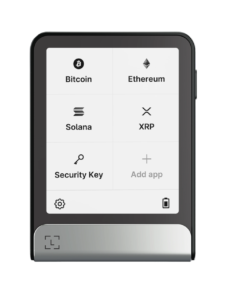 |
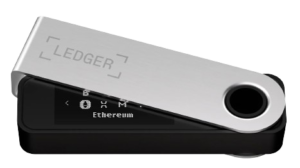 |
|---|---|
Design & Build Quality
The Ledger Flex feels more like a sleek modern gadget, thanks to its touchscreen and premium materials, while the Nano S Plus keeps things ultra-light and portable—less than half the weight, in fact. When you look at the Flex vs Nano S Plus, the difference in build quality really shapes how (and where) you’ll want to carry your wallet around.
Ledger Flex |
Ledger Nano S Plus |
|
|---|---|---|
Materials |
Aluminum frame + plastic back |
Brushed stainless steel + plastic |
Weight |
57.5g (heavier, premium feel) |
21g (ultra-portable) |
Size |
78.4 x 56.5 x 7.7mm |
62.39 x 17.40 x 8.24mm |
Portability |
Bag/pocket with optional folio |
Keychain-ready |
Power Source |
200mAh battery (recharges via USB-C) |
Draws power from connected device |
Ledger gives the Flex a little extra flair with its optional Magnetic Folio Protection—a sleek add-on that boosts both durability and style (though you’ll have to buy it separately). The Nano S Plus, on the other hand, keeps it simple and practical by including a handy keychain strap right in the box, perfect for clipping to your keys or bag.
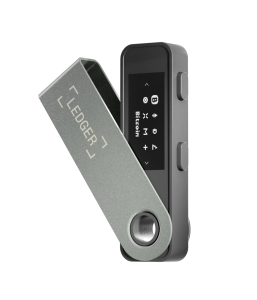
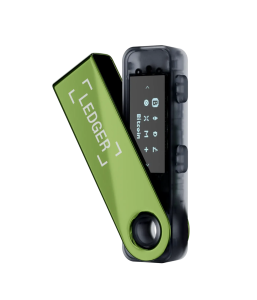
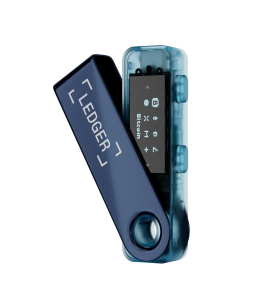
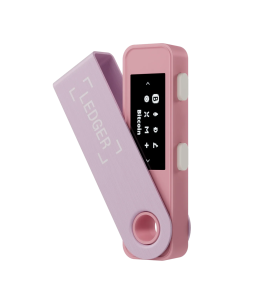
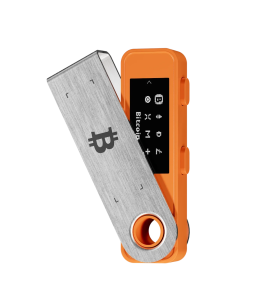
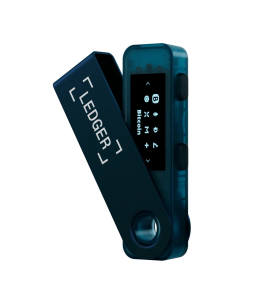
Ledger Flex vs Nano S Plus: Available Colors
Both the Ledger Flex and Ledger Nano S Plus come in a range of sleek, modern finishes to match your style. Check out the table below to see all the available color options for each model.

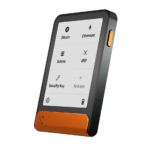
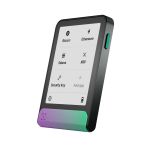


Ledger Nano S Plus Color Options

Display & User Interface
One of the biggest things you’ll notice in the Ledger Nano S Plus vs Ledger Flex comparison is the screen. The Flex packs a roomy 2.84-inch E Ink touchscreen, giving you a smartphone-like feel when navigating your wallet. The Nano S Plus, by contrast, sticks to its classic two-button setup and a much smaller display—simple, but it gets the job done.
Ledger Flex |
Ledger Nano S Plus |
|
|---|---|---|
Screen Size |
2.84 inches |
Significantly smaller |
Technology |
E Ink touchscreen |
Standard LED display |
Color Depth |
16 scales of gray |
Basic monochrome |
Navigation |
Touch, swipe, tap |
Button press only |
Reading Comfort |
High (large, clear text) |
Moderate (small text, scrolling) |
Always-On Display |
Yes (E Ink shows when off) |
No |
Unique Display Features:
- Flex Only: Display NFTs and photos on lock screen even when powered off (E Ink persistence)
- Flex Only: Touch-based transaction approval eliminates button-press fatigue
- Both Devices: Trusted Display ensures what you see is secure and tamper-proof
Thanks to its E Ink display, the Ledger Flex stays perfectly readable whether you’re indoors or out in bright sunlight—and it barely sips battery power. Navigation feels natural too: you just swipe and tap like you would on your smartphone, which makes it way easier to use than the button-based setup on older wallets.
Security Architecture
When it comes to safety, the Flex vs Nano S Plus signers are equals. Both run on the same rock-solid cryptographic foundation, so you’re not getting “more security” just because you spend more. Your private keys are protected the same way on each device—the only real differences show up in the user experience, like features that help prevent transaction mistakes.
Security Element |
Both Devices |
|---|---|
Secure Chip |
ST33K1M5 |
Certification |
CC EAL6+ (highest consumer level) |
Operating System |
Ledger OS |
Private Key Storage |
Offline, isolated in Secure Element |
PIN Protection |
4-8 digit user-chosen PIN |
Attack Resistance |
Protected against physical and remote attacks |
Clear Signing: A Flex-Exclusive Safety Upgrade
Here’s where the Ledger Flex vs Ledger Nano S Plus security story starts to split. The Flex introduces Clear Signing, a game-changing feature that translates complex smart contract data into plain English right on the touchscreen. You’ll see exactly what permissions you’re approving or which tokens you’re sending—no guesswork, no nasty surprises.
The Nano S Plus, meanwhile, shows that same data in raw hexadecimal code (basically, unreadable to most humans). It works fine, but it does mean you’re trusting that everything checks out—or spending extra time double-checking those cryptic strings, especially during DeFi or NFT transactions.
Ledger Recovery Key (Flex Exclusive)

The Flex also comes with a physical Ledger Recovery Key—a smart card protected by its own PIN that serves as a secure offline backup. If your device ever gets lost or damaged, you can restore your wallet with a simple tap. It’s an elegant, redundant safeguard stored separately from your main wallet. In contrast, the Nano S Plus sticks to old-school paper recovery sheets.
Security Verdict
At the core, your crypto is equally safe on both devices—they share the same underlying cryptography. The Nano S Plus vs Flex Wallet difference really comes down to usability. The Flex’s Clear Signing feature helps prevent costly mistakes when approving complex transactions, while the Nano S Plus puts more responsibility on the user to double-check what they’re signing.
Connectivity & Device Compatibility
When it comes to everyday convenience, connection options make one of the biggest differences between the two wallets. The Ledger Flex features Bluetooth connectivity, letting you pair it wirelessly with your phone or laptop in seconds. The Nano S Plus, on the other hand, sticks to the basics—it needs a cable every time you want to connect.
Connection Type |
Ledger Flex |
Ledger Nano S Plus |
|---|---|---|
USB-C |
✅ Yes |
✅ Yes |
Bluetooth 5.2 |
✅ Yes |
❌ No |
Wireless Range |
Standard Bluetooth range |
N/A |
Power Method |
Built-in battery + USB charging |
USB-powered only |
Operating System Support:
For iPhone users, the Ledger Nano S Plus vs Ledger Flex compatibility difference is a dealbreaker. Only the Flex works with iOS, thanks to its built-in Bluetooth connection. Android users get more flexibility since both devices are supported—but the Flex still wins on convenience, letting you skip the cables entirely.
Platform |
Ledger Flex |
Ledger Nano S Plus |
|---|---|---|
iOS 14+ |
✅ Yes (Bluetooth) |
❌ Not compatible |
Android 10+ |
✅ Yes (Bluetooth + USB) |
✅ Yes (USB only) |
Windows 10/11 |
✅ Yes |
✅ Yes |
macOS |
✅ Yes (Big Sur+) |
✅ Yes (Big Sur+) |
Linux Ubuntu |
✅ Yes (LTS 20.04/22.04) |
✅ Yes (LTS 20.04/22.04) |
Chromebooks |
❌ No |
❌ No |
Supported Assets & Capacity
Both signers or wallets connect to Ledger Live, giving you full control over your portfolio and access to thousands of supported cryptocurrencies. The real Flex vs Nano S Plus difference isn’t about which coins you can store—it’s about how many apps you can run at once. The Flex can handle more simultaneous installs, while the Nano S Plus may require occasional app swapping if you manage a wide range of assets.
Asset Category |
Ledger Flex |
Ledger Nano S Plus |
|---|---|---|
Coins & Tokens |
15,000+ supported |
15,000+ supported |
Installable Apps |
Up to 100 apps simultaneously |
Memory-dependent |
Bitcoin |
✅ Full support |
✅ Full support |
Ethereum |
✅ Full support |
✅ Full support |
Solana |
✅ Full support |
✅ Full support |
USDT |
✅ Supported |
✅ Supported |
NFT Management |
✅ Ethereum & Polygon NFTs |
✅ Ethereum & Polygon NFTs |
NFT Display |
✅ Lock screen showcase |
❌ No visual display |
Ledger Live Integration:
Both the Ledger Flex and Ledger Nano S Plus pair effortlessly with the Ledger Live app for managing your crypto portfolio. The main difference comes down to how you connect: the Flex uses Bluetooth for quick, wireless sessions on mobile, while the Nano S Plus sticks to a wired USB-C connection on Android. On desktop, though, it’s the same smooth experience for both.
Notable Asset Features:
- Staking: Both support staking ETH, SOL, ATOM, TON, and stablecoins through Ledger Live
- DeFi: Both enable DeFi protocol interactions, but Flex’s Clear Signing makes complex approvals safer
- Third-Party Wallets: Both support thousands of additional assets through MetaMask, Phantom, and other wallet integrations
Ledger Flex Exclusive Features
The Ledger Flex earns its higher price by packing in premium touches that make everyday use smoother—from added convenience and clearer security transparency to deeper integration within the Ledger ecosystem. The Nano S Plus, meanwhile, keeps things stripped down and focused purely on core security, without the extra bells and whistles.
Feature |
Description |
Value Proposition |
|---|---|---|
Ledger Recovery Key (Flex) |
Physical Secure Element smart card with PIN protection |
Offline backup beyond recovery phrase; restore with tap |
Clear Signing (Flex) |
Human-readable transaction display |
Prevents approval of malicious smart contracts |
E Ink Touchscreen (Flex) |
2.84″ touch-sensitive display |
Smartphone-like navigation, reduced eye strain |
NFT Lock Screen (Flex) |
Display collection when powered off |
Personalization + showcase owned assets |
Bluetooth 5.2 (Flex) |
Wireless connectivity |
Cable-free mobile management |
Magnetic Folio (Flex) |
Optional protective case |
Premium durability and style |
Ledger Security Key (Flex) |
FIDO2 passwordless login app |
Replaces passwords for web accounts |
Nano S Plus Core Strengths:
- Battery-Free Operation: Never needs charging; instant use when plugged in
- Ultra-Portability: 21g weight makes it disappear on a keychain
- Budget Entry: $59 provides full CC EAL6+ security without premium cost
- Proven Reliability: Established design with years of user testing
The Ledger Flex vs Ledger Nano S Plus comparison really highlights two different approaches to security. The Flex feels like a full-featured crypto security ecosystem, blending protection with convenience and modern usability. The Nano S Plus, on the other hand, sticks to the essentials—simple, distraction-free, and built purely for safeguarding your assets.
|
|
|---|---|
What’s In The Box
Even the box contents tell a story in the Ledger Flex vs Ledger Nano S Plus comparison. The Flex comes with a more premium setup—including backup accessories and the Ledger Recovery Key, which alone would cost over $30 if sold separately. The Nano S Plus, meanwhile, keeps it practical and lightweight with just the portability essentials you need to get started.

Item |
Ledger Flex |
Ledger Nano S Plus |
|---|---|---|
Hardware Wallet |
1x Ledger Flex device |
1x Nano S Plus device |
USB Cable |
1x USB-C to USB-C cable |
1x USB-C to USB-A cable |
Recovery Sheets |
3x paper recovery sheets |
3x paper recovery sheets |
Recovery Key Card |
1x Ledger Recovery Key (Secure Element card) |
❌ Not included |
Documentation |
Ledger Flex setup guide |
1x getting started leaflet |
Accessories |
None |
1x keychain strap |
Protective Case |
Sold separately (Magnetic Folio) |
None |
Pros & Cons of Ledger Nano S Plus vs Ledger Flex
Here’s what we like — and what we don’t — about each wallet in this Ledger Flex vs Ledger Nano S Plus comparison.
Ledger Flex
Pros |
Cons |
|---|---|
✅ 2.84″ E Ink touchscreen with intuitive touch navigation |
❌ $249 price represents significant investment |
✅ Only Ledger device supporting iOS via Bluetooth |
❌ 57.5g weight less portable than Nano S Plus |
✅ Clear Signing translates complex transactions into plain language |
❌ Battery requires periodic charging via USB-C |
✅ Includes physical Ledger Recovery Key backup card |
❌ Limited to 100 installable apps vs broader Nano S Plus capacity |
✅ Display NFTs and photos on lock screen |
❌ Magnetic Folio protection sold separately |
✅ Bluetooth 5.2 eliminates cable requirement for mobile use |
|
✅ Premium build quality with aluminum frame |
|
✅ Ledger Security Key app for passwordless web logins |
Ledger Nano S Plus
Pros |
Cons |
|---|---|
✅ $59 budget-friendly price (76% cheaper than Flex) |
❌ No iOS support—incompatible with iPhone/iPad |
✅ Ultra-light 21g weight perfect for keychains |
❌ Small display requires excessive scrolling for long transactions |
✅ Battery-free design means instant use when connected |
❌ Button navigation slower than touchscreen |
✅ Brushed stainless steel provides premium feel at low cost |
❌ No Clear Signing feature for human-readable transactions |
✅ Supports 15,000+ cryptocurrencies |
❌ USB-C cable required for every use (no wireless option) |
✅ Proven, established design with years of reliability |
❌ Cannot display NFTs or customize lock screen |
✅ Six color options for personalization |
❌ No included Recovery Key backup card |
Which Should You Buy: Ledger Flex or Nano S Plus
Choosing between the Ledger Flex and Ledger Nano S Plus mostly comes down to your phone setup, how actively you manage your crypto, and how much you’re willing to spend. Since both offer the same cryptographic security, the decision really boils down to convenience and how you plan to use your wallet day to day.
Choose Ledger Flex If You:
- Own an iPhone or iPad and need iOS compatibility
- Actively trade or interact with DeFi protocols requiring frequent transaction approvals
- Manage a portfolio exceeding $10,000 where Clear Signing prevents costly mistakes
- Value intuitive touchscreen navigation over button-based controls
- Want to display your NFT collection on your hardware wallet
- Need Bluetooth convenience for mobile-first crypto management
- Prefer all-in-one security with included Recovery Key backup card
Choose Ledger Nano S Plus If You:
- Primarily use desktop (Windows/Mac/Linux) for crypto management
- Own an Android smartphone or don’t need mobile connectivity
- Hold long-term positions (HODLing) with infrequent transaction activity
- Want maximum portability with keychain-level compactness
- Budget under $100 but refuse to compromise on security certification
- Prefer battery-free devices that never need charging
- New to hardware wallets and want proven, simple technology
|
|
|---|---|
Ledger Flex vs Ledger Nano S Plus: The 2026 Verdict
For 2026, the Ledger Flex takes the win for users who can justify its $249 price tag through frequent use and a need for premium features. Its E Ink touchscreen, Clear Signing security, iOS compatibility, and included Recovery Key combine to deliver a genuinely modern, seamless experience. If you’re an iPhone user, the choice is clear—the Flex is currently Ledger’s only iOS-compatible hardware wallet.
Best Overall ⇒ Ledger Flex
Best Budget Pick ⇒ Ledger Nano S Plus
That said, the Ledger Nano S Plus is still an unbeatable value at $59. It’s perfect for desktop-focused or Android users who want the same CC EAL6+ security protecting their crypto, without paying for the extras. You’ll give up some convenience and polish, but not an ounce of protection.
In the end, both signers deliver industry-leading security, so it’s just a matter of whether you want simplicity or the full premium experience.
Compare Other Wallets↓
Ledger Flex vs Ledger Nano X: Which Crypto Wallet is Right for You?
Ledger Flex vs Ledger Stax: Which Offers Better Security in 2026?
Ledger Flex vs Trezor Model T: Which Protects Your Crypto Portfolio Better?
Ledger Flex vs Trezor Safe 3: Which Wallet Should You Trust With Your Crypto?
FAQs
Is the Ledger Flex more secure than the Ledger Nano S Plus?
No, both devices use the identical ST33K1M5 Secure Element chip with CC EAL6+ certification and Ledger OS. Your private keys receive the same protection level on either device. The Flex’s Clear Signing feature enhances user security by preventing transaction approval errors, but the fundamental cryptographic security is identical.
Can I use Ledger Nano S Plus with my iPhone?
No, the Nano S Plus does not support iOS devices. It only works with Android 10+ smartphones and desktop computers via USB-C. iPhone and iPad users must purchase the Ledger Flex, which connects via Bluetooth 5.2 to iOS 14+ devices.
How long does the Ledger Flex battery last?
The Flex contains a 200mAh battery that powers the E Ink display and Bluetooth connectivity. Battery life varies based on usage, but E Ink technology consumes minimal power. You can recharge via the included USB-C cable when needed—the device functions while charging.
Do both signers support the same cryptocurrencies?
Both support thousands of cryptocurrencies through Ledger Live and third-party wallets. The Flex and Nano S Plus lists 15,000+ supported assets and tokens with up to 100 installable apps.
What is the Ledger Recovery Key included with the Flex?
The Ledger Recovery Key is a physical smart card with its own Secure Element chip and PIN protection. It serves as an additional offline backup method beyond your 24-word recovery phrase. You can tap the card to restore wallet access if your recovery phrase is lost or inaccessible, providing extra redundancy.
Can I stake crypto on both devices?
Yes, both the Flex and Nano S Plus support staking through Ledger Live. You can stake ETH, SOL, ATOM, TON, stablecoins, and other supported assets directly from either device. The staking process is identical—only the connection method differs (Bluetooth for Flex, USB-C for Nano S Plus).
Which device is better for managing NFTs?
The Ledger Flex offers superior NFT management because you can display your NFT collection on the 2.84″ lock screen, even when the device is powered off. Both devices let you send, receive, and sign NFT transactions securely through Ledger Live, but the Flex provides visual showcase functionality the Nano S Plus lacks.
What happens if I lose my device?
Your crypto remains safe because your private keys are backed up by your 24-word recovery phrase (and Ledger Recovery Key for Flex users). You can purchase a replacement Ledger device and restore your wallets using your recovery phrase. Always store your recovery phrase securely offline in a separate location from your hardware wallet.
Can I use both devices with MetaMask or other software wallets?
Yes, both the Flex and Nano S Plus connect to MetaMask, Phantom, and other third-party wallets for expanded asset support. This integration gives you access to thousands of additional tokens and DeFi platforms while keeping your private keys secured offline in the hardware device.
Which device is easier for beginners?
The Ledger Flex offers a more intuitive experience with its touchscreen and Clear Signing, making it easier to understand what you’re approving. However, the Nano S Plus at $59 provides a lower-risk entry point for learning hardware wallet fundamentals. Beginners should choose based on budget—both are learner-friendly with Ledger Live’s guided setup.