


If you’re looking for an easy way to start investing spare change, this Acorns Review is for you. Acorns turns everyday purchases into automatic investments. Let’s see if it truly helps beginners grow their money effortlessly.
Acorns Review: Quick Stats (2026)
- Founded: 2012 (launched 2014)
- All-Time Customers: 14+ million
- Total Invested: $27+ billion since inception
- Pricing: $3, $6, or $12 per month (flat fees)
- Account Minimum: $0 to open; $5 to start investing
- Headquarters: Irvine, California
- App Ratings: 4.7/5 (iOS), 4.6/5 (Android)
Best For:
✅ Beginners who struggle to save consistently
✅ Micro-investors starting with small amounts
✅ People wanting automated, hands-off investing
✅ Those who benefit from “forced savings”
✅ Parents saving for children (Gold tier)
✅ IRA investors seeking matching contributions (Silver/Gold)
Not Ideal For:
❌ Low-balance investors (fees disproportionately high)
❌ Tax-conscious investors (no tax-loss harvesting)
❌ Active traders wanting control
❌ Those with $14,400+ (better options exist)
❌ Investors planning to switch brokers ($50 per ETF transfer fee)
What is Acorns?
Acorns is a micro-investing platform that automatically rounds up your everyday purchases to the nearest dollar and invests the spare change into diversified exchange-traded funds (ETFs) portfolios.
Founded in 2012 and launched in 2014, Acorns has revolutionized investing for beginners by making it effortless to start building wealth with just $5. With over 14 million all-time customers and over $27 billion invested since inception as of November 2025, Acorns has become America’s leading micro-investing app.
How Acorns Works
Step 1: Link your debit or credit card to Acorns
Step 2: Make everyday purchases ($4.75 coffee becomes $5.00)
Step 3: Acorns rounds up to nearest dollar (invests $0.25)
Step 4: Once round-ups reach $5, money automatically invests
Step 5: Your diversified portfolio grows with every purchase
The Acorns Ecosystem
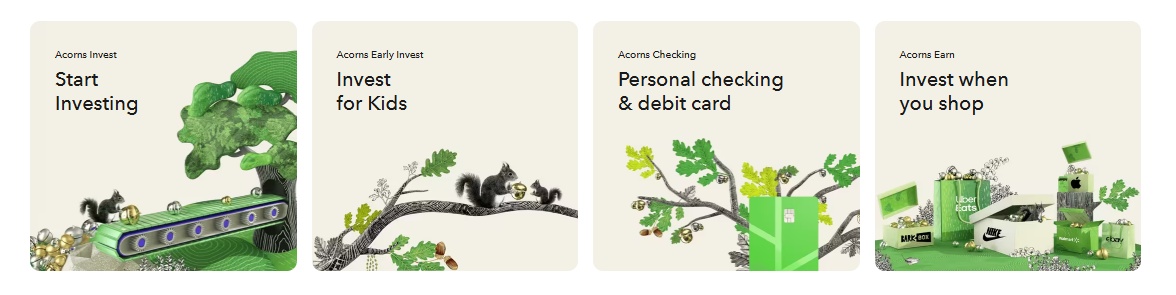
Acorns has evolved beyond simple round-ups into a comprehensive financial ecosystem:
Acorns Invest: Automated taxable investment account
Acorns Later: IRA accounts (Traditional, Roth, SEP) with matching
Acorns Checking: FDIC-insured checking with metal debit card
Acorns Early: UGMA/UTMA custodial accounts for kids (Gold tier)
Acorns Earn (Found Money): Cashback from 450+ partner brands
Pricing and Fees
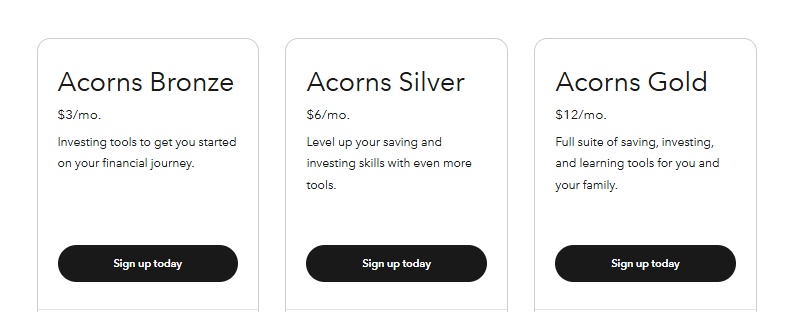
Acorns differs from many other robo-advisors by charging a flat monthly fee rather than taking a percentage cut from your investments.
Three Subscription Tiers
Acorns Bronze ($3/month = $36/year)
- Acorns Invest (taxable account)
- Acorns Later (IRA: Traditional, Roth, SEP)
- Acorns Checking (with standard metal debit card)
- Round-Ups feature
- Found Money cashback
- Educational content
Acorns Silver ($6/month = $72/year)
- Everything in Bronze PLUS:
- 1% IRA match on new contributions (first year, must keep 4 years)
- Emergency Savings account (3.82% APY)
- Checking account earns 2.42% APY
- 25% match on Found Money (up to $200)
- Mighty Oak tungsten debit card
- Live Q&A with financial experts
- Premium educational content
Acorns Gold ($12/month = $144/year)
- Everything in Silver PLUS:
- 3% IRA match on new contributions (first year, must keep 4 years)
- Acorns Early (custodial accounts for kids)
- Custom Portfolio (add individual stocks/ETFs)
- Early debit cards for kids
- 50% match on Found Money (up to $200)
- 1% match on kids’ investment accounts
- Money Manager (smart paycheck splitting)
- $10,000 life insurance (qualifying customers)
- Free will service (via Trust & Will partnership)
When Acorns Is Expensive
In order to achieve an equivalent fee of 0.25% at each level, you’d have to have account balances of $14,400 with the Bronze plan, $28,800 with the Silver plan and $57,600 with the Premium plan
Bronze ($3/month = $36/year):
- $100 balance = 36% annual fee
- $1,000 balance = 3.6% annual fee
- $5,000 balance = 0.72% annual fee
- $14,400 balance = 0.25% annual fee (matches Betterment/Wealthfront)
- $20,000+ balance = Cheaper than percentage-based competitors
Silver ($6/month = $72/year):
- $1,000 balance = 7.2% annual fee
- $10,000 balance = 0.72% annual fee
- $28,800 balance = 0.25% annual fee
Gold ($12/month = $144/year):
- $1,000 balance = 14.4% annual fee
- $10,000 balance = 1.44% annual fee
- $57,600 balance = 0.25% annual fee
ETF Expense Ratios
The ETFs used in Acorns’ portfolio are reasonably priced in terms of their management fees, or expense ratios. Most funds fall in a range of 0.03 percent to 0.25 percent of invested assets annually, or a cost of $3 to $25 for every $10,000 invested
Exception: Most funds are 0.03 percent – 0.25 percent, but the Bitcoin fund costs 0.95 percent
Additional Fees
Account Transfer: If you decide to move your investments out of Acorns to another provider, you’ll pay a steep fee for that convenience. Acorns charges $35 per ETF to transfer investments ($50 per ETF, according to some sources)
Workaround: Sell holdings and transfer cash for free (but triggers capital gains taxes)
No Fees For:
- Account opening or closing
- Cash withdrawals (sell and transfer)
- Rebalancing
- Round-Ups
- One-time or recurring deposits
Investment Portfolios
Five Core Portfolios
Acorns’ portfolios are based on modern portfolio theory, a mathematical framework that builds an investment portfolio to maximize the expected return for the level of risk
1. Conservative Portfolio
- Asset Allocation: 100% bonds, 0% stocks
- Best For: Very short timelines, risk-averse investors
- Expected Return: Lower, more stable
2. Moderately Conservative Portfolio
- Asset Allocation: ~60% bonds, 40% stocks
- Best For: Short-to-medium timelines (3-7 years)
- Expected Return: Moderate with reduced volatility
3. Moderate Portfolio
- Asset Allocation: 50% bonds, 50% stocks
- Best For: Medium timelines (5-10 years)
- Expected Return: Balanced risk/return
4. Moderately Aggressive Portfolio
- Asset Allocation: ~80% stocks, 20% bonds
- Best For: Long timelines (10-20 years)
- Expected Return: Higher long-term growth
5. Aggressive Portfolio
- Asset Allocation: 100% stocks, 0% bonds
- Best For: Very long timelines (20+ years), young investors
- Expected Return: Maximum long-term potential, higher volatility
ESG (Environmental, Social, Governance) Portfolios
New ESG (Environmental, Social, and Governance) portfolios allow users to invest in socially responsible companies
Four ESG Options:
- Conservative ESG
- Moderately Conservative ESG
- Moderate ESG
- Moderately Aggressive ESG
Note: The expense ratios of the funds within these portfolios may be slightly higher
Portfolio Composition
They’re made up of low-cost iShares and Vanguard exchange-traded funds that cover just five to seven asset classes. They include real estate, large-cap stocks (domestic and international), small-cap stocks, emerging markets, and corporate and government bonds
ETF Providers:
- iShares (BlackRock)
- Vanguard
- Select other low-cost providers
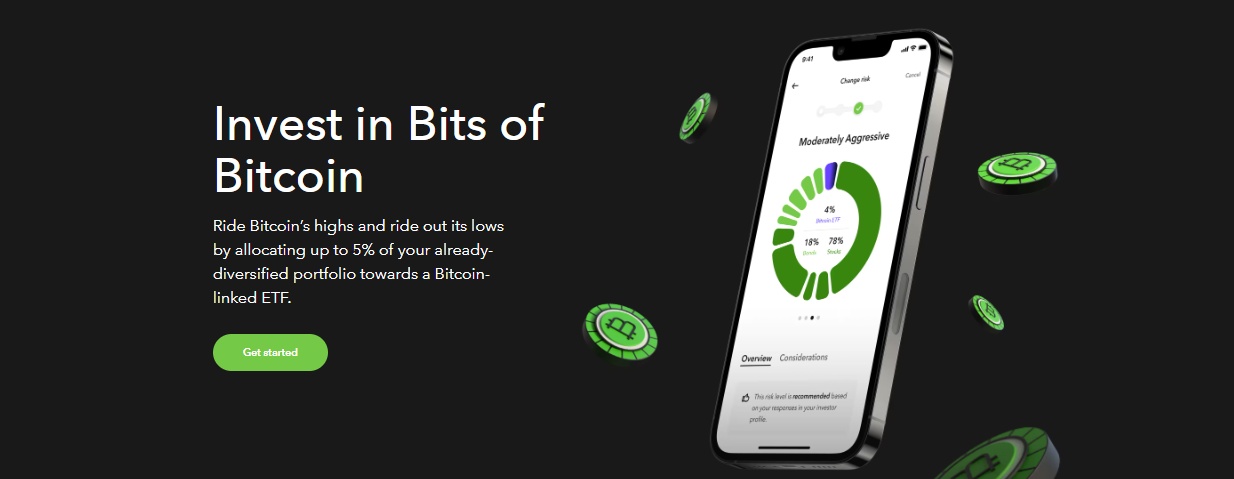
Cryptocurrency Option: The portfolios include a range of ETFs across multiple asset classes, including stocks, bonds, real estate, and, in some tiers, limited exposure to Bitcoin via a bitcoin-linked ETF
Automatic Rebalancing
Acorns automatically rebalances your portfolio every quarter, and it’s also done whenever a percentage holding one or more ETFs fluctuates 5% above or below target allocation
Key Features
1. Round-Ups (Signature Feature)
Roundups: In addition to adding lump sums to your investments, Acorns lets you round up your purchases on linked credit or debit cards, then sweep the change into a computer-managed investment portfolio
How It Works:
- Link unlimited debit/credit cards
- Every purchase rounds to nearest dollar
- Change accumulates until reaching $5
- Automatic investment into your portfolio
Round-Up Multipliers: You can multiply round-ups (2x, 3x, 10x) to invest faster
Example:
- Coffee: $4.75 → rounds to $5.00 → invests $0.25
- With 2x multiplier: invests $0.50
- 100 transactions/month at $0.25 average = $25 invested
2. Acorns Earn (Found Money)
Cash back: Acorns offers cash back at over 450 retailers
How It Works:
- Shop at 450+ partner brands
- Earn cashback percentage (varies by retailer)
- Cashback automatically invested in your portfolio
Matching Bonuses:
- Bronze: No match
- Silver: 25% match up to $200
- Gold: 50% match up to $200
Partner Examples: Nike, Apple, Walmart, Target, Airbnb, major retailers
3. Smart Deposit
Smart Deposit: Automatically allocates a portion of your paycheck into your Acorns accounts, ensuring consistent contributions
Automate Paycheck Splitting:
- Direct deposit goes to Acorns Checking
- Automatically splits across Invest, Later, Early
- Set percentage allocations
- Ensures consistent investing
4. Acorns Checking Account
Checking Account Features:
- The checking account earns a 2.57% APY and the savings account earns 4.05% APY, with no minimum balance to receive the interest rate (Silver/Gold only)
- Standard metal debit card (Bronze)
- Tungsten Mighty Oak card (Silver/Gold)
- Mobile check deposits
- Access to more than 55,000 fee-free ATMs around the world
- No monthly fees
- No overdraft fees
- Real-time round-ups
5. Acorns Later (IRA Accounts)
IRA Types Available:
- Traditional IRA
- Roth IRA
- SEP IRA (self-employed)
- Rollover IRA
IRA Matching (Unique Benefit):
- Acorns offers what they call Later Match, an IRA contribution match of 1% for Silver members or 3% for Gold members
- Must keep contributions for 4 years
- Example: $7,000 annual contribution → Silver adds $70/year, Gold adds $210/year
- Free money that compounds over time
6. Acorns Early (Kids’ Accounts)
Available: Gold tier only ($12/month)
Account Type: UGMA/UTMA custodial accounts
Features:
- Investment accounts for kids
- Early debit cards for financial literacy
- Allowance and chore tracking
- Invite family to gift money
- Parental controls
- 1% match on kids’ investments (Gold)
Important: This account/savings is NOT a 529 plan – and there are no tax benefits for saving in a UGMA account
7. Educational Content
Free Access (All Tiers):
- Articles on investing basics
- Video tutorials
- Financial literacy courses
- Market insights
- Money management tips
Premium Education (Silver/Gold):
- Live Q&A sessions with financial experts
- Advanced courses
- Family financial education
What Acorns Lacks
1. No Tax-Loss Harvesting
No tax strategy: Unlike many of its competitors, Acorns does not offer a tax strategy
Why This Matters: Competitors like Betterment and Wealthfront offer tax-loss harvesting that can add 0.5-1.5% annually in tax benefits, often exceeding their management fees.
2. Limited Customization
Limited Customization: Users cannot choose individual stocks or ETFs (except Gold tier’s Custom Portfolio feature)
Restrictions:
- Must choose from 5 pre-built portfolios
- Can’t exclude specific ETFs or stocks
- Can’t adjust asset allocation beyond preset options
- Gold tier allows adding individual stocks but not removing ETFs
3. No Advanced Features
No Advanced Features: The platform lacks tools like tax-loss harvesting, which are common with robo-advisors like Betterment or Wealthfront
Missing:
- Tax-loss harvesting
- Direct indexing
- Advanced charting
- Research tools
- Margin trading
- Options or futures
- Real-time market data
4. Small Portfolio Diversification
On the other hand, the portfolios are smaller than the average robo-advisor ones. They’re made up of low-cost iShares and Vanguard exchange-traded funds that cover just five to seven asset classes
Compare To:
- Betterment: 10-12 ETFs
- Wealthfront: Up to 17 asset classes
- Acorns: 5-7 ETFs
User Experience
Mobile App
Acorns consistently earns high marks for its seamless and intuitive design: Apple App Store: 4.7/5 from over 1 million reviews. Google Play Store: 4.6/5 from 750,000+ reviews
Praised For:
- Extremely intuitive interface
- Simple setup process
- Easy-to-understand dashboards
- Automated features require minimal input
- Financial education integration
- Portfolio tracking
Common Complaints:
- Fees eat into returns on small balances
- Cannot customize portfolios extensively
- Limited research tools
- Customer support response times
Account Opening
Time Required: In less than 15 minutes, your account will be good to go
Steps:
- Answer basic questions (age, income, risk tolerance)
- Acorns recommends portfolio
- Choose subscription tier (Bronze, Silver, Gold)
- Link bank account
- Link debit/credit cards for Round-Ups
- Deposit minimum $5
- Start investing automatically
Customer Support
Customer support is available seven days a week from 5 a.m. to 7 p.m. Pacific time, by live chat, phone and email
Available:
- Phone support (7 days/week)
- Live chat (24/7 according to some sources)
- Email support
- Help center/FAQ
Limitations:
- Not 24/7 phone support
- Some users report slow response times
- No in-person branches
Pros and Cons
Acorns Pros
- ✅ No minimum balance; invest with spare change
- ✅ Free for college students (.edu email)
- ✅ Flat fees become cheaper as balance grows
- ✅ Automatic Round-Ups and Smart Deposit
- ✅ Auto rebalancing and dividend reinvestment
- ✅ IRA match (1% Silver, 3% Gold)
- ✅ Cashback at 450+ retailers
- ✅ High-yield savings (3.82%) and checking (2.42%)
- ✅ Kids’ accounts with Gold plan
- ✅ Easy-to-use app (4.7 iOS / 4.6 Android)
- ✅ Great for beginners; strong educational tools
- ✅ Diversified, low-cost ETF portfolios
- ✅ ESG investment option
Acorns Cons
- ❌ High fees on small balances (e.g., $100 = 36% annual fee)
- ❌ No tax-loss harvesting or tax strategy
- ❌ Limited customization (5–7 ETFs only)
- ❌ $35–$50 per ETF transfer fee
- ❌ Price hike in July 2024 (Silver $6, Gold $12)
- ❌ Not ideal for large balances or active traders
- ❌ Betterment/Wealthfront offer stronger value for tax-savvy investors
Who Should Choose Acorns?
Ideal Candidates
Complete Beginners: First-time investors: Acorns simplifies investing with minimal setup, no investment decisions required, and automated portfolio management
Savers Who Struggle: Budget-conscious users: Those who struggle to save regularly may benefit from Round-Ups and recurring deposit automation
Micro-Investors: Anyone interested in starting small and growing their investment over time
Busy Professionals: Busy Professionals: Users who want to set it and forget it
Parents: Families looking to save for their children’s future with Acorns Early
Long-Term Mindset: Long-term savers: Users planning for retirement or saving for their children’s future can access IRAs and custodial accounts through upgraded plans
Not Right For
Advanced Investors: Those seeking more control over individual investments or advanced tools like tax optimization
Low-Balance Users: People with small balances may find fees disproportionately high relative to their returns
Tax-Conscious Investors: Need tax-loss harvesting → Choose Betterment or Wealthfront
High-Balance Investors Over $14,400+ → Better options at 0.15-0.25% (Vanguard, Betterment, Wealthfront)
Compare
Acorns vs Stash 2026: Which Micro-Investing App Is Better?
Acorns vs Wealthfront 2026: Which Robo-Advisor Wins?
Acorns vs Betterment 2026: Which Robo-Advisor Is Best for You?
Acorns vs Robinhood 2026: Which Investment App Is Right for You?
How to Get Started
Step 1: Download Acorns app (iOS or Android) or visit acorns.com
Step 2: Answer questionnaire about goals, timeline, risk tolerance
Step 3: Acorns recommends portfolio (Conservative to Aggressive)
Step 4: Choose subscription tier:
- Bronze ($3/month): Invest + Later + Checking
- Silver ($6/month): + IRA match + high APY
- Gold ($12/month): + Early + custom portfolio
Step 5: Link bank account for funding
Step 6: Link debit/credit cards for Round-Ups
Step 7: Deposit minimum $5 to start investing
Step 8: Set up automatic deposits (recommended)
Step 9: Let Acorns invest automatically
Timeline: 10-15 minutes setup; $5 minimum starts investing immediately
Final Verdict
Overall Rating: 4.0/5 ⭐⭐⭐⭐
Acorns excels at making investing accessible and automatic for beginners who struggle to save consistently. The Round-Ups feature is brilliant for building the investing habit painlessly. However, flat monthly fees are prohibitively expensive for small balances, and the lack of tax-loss harvesting is a significant disadvantage.
Money expert Clark Howard said:
“What you’re paying for is the forced, automatic savings. If [$36] a year gets you to change your habits with money, then it’s a well-spent [$36]. The reality is, if somebody doesn’t need that, they’re better off with free stock trading and online banks with no fees. If you have the discipline, I’d rather you not pay fees you don’t need to pay.”
Get started at: acorns.com
Frequently Asked Questions
Is Acorns worth it?
All-in-all, we give this app a solid 4 out of 5 stars. Acorns is definitely worth a shot for you if you’re on the hunt for an investing app that’s hassle-free, automated, and doesn’t require any active stock trading
Worth it IF you struggle to save consistently and fees motivate you. Not worth it if you have investing discipline (use free options).
How much should I have invested to make Acorns worth it?
At least $14,400 for Bronze ($3/month) to match 0.25% competitor fees. Below this, you’re paying premium for convenience/automation.
Can I lose money with Acorns?
Yes. Investments fluctuate with markets. Diversification reduces risk but doesn’t eliminate it. Acorns doesn’t guarantee returns.
Is Acorns safe?
Yes. SEC-registered investment advisor. SIPC protection up to $500,000. Bank-level security with 256-bit encryption and two-factor authentication.
Can I withdraw money anytime?
Yes. No lock-up periods. Sell investments and transfer cash to bank (3-5 days). No withdrawal fees (but selling triggers capital gains taxes).
Does Acorns offer tax-loss harvesting?
No. Major disadvantage vs. Betterment/Wealthfront which offer TLH that often exceeds management fees.
Disclaimer: This Acorns review is for educational purposes. Investment decisions should be based on your personal situation. All information accurate as of January 2026 but subject to change.