


By Samson Ononeme, Founder & Financial Content Strategist, MarketsXplora
Last updated: September 23, 2026.
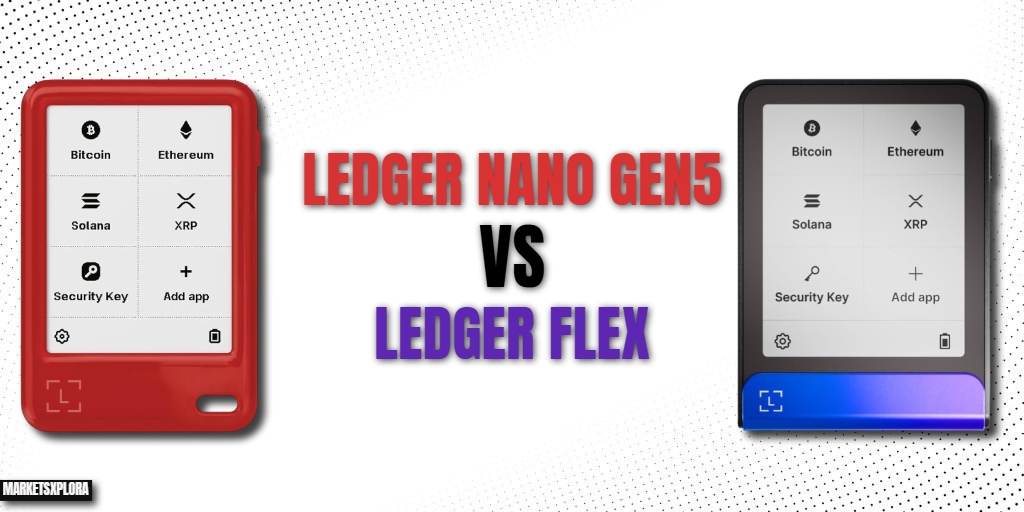
The Ledger Nano Gen5 and Ledger Flex are the two most closely related hardware wallets in Ledger’s current lineup. They share the same EAL6+ Secure Element chip, the same Ledger BOLOS firmware, the same Certified Secure Screen architecture, and the same Clear Signing and Transaction Check features. From a pure security standpoint, they are the same device.
So what are you actually paying an extra $70 for when you choose the Flex?
That is the question this comparison answers — directly, with a clear recommendation based on your specific use case. Most comparison articles stop at a spec table. This one tells you exactly which device to buy and why.
Quick verdict:
- Buy the Ledger Nano Gen5 ($179) if security per dollar is your priority, you use your wallet moderately, and a compact form factor suits your lifestyle.
- Buy the Ledger Flex ($249) if you use your wallet frequently, you want the clearest possible screen for transaction verification, you value a premium build, or you are upgrading from a Nano X and want a meaningful step up in every dimension.
Ledger Nano Gen5 vs Ledger Flex: Quick Comparison
Feature |
Ledger Nano Gen5 |
Ledger Flex |
|---|---|---|
Price |
$179 |
$249 |
Launch |
October 2025 |
2024 |
Display size |
2.76 inches |
2.84 inches |
Display type |
E-Ink touchscreen |
E-Ink touchscreen |
Display quality |
2-shade (black & white) |
16-shade grayscale |
Resolution |
300×400px, 181 ppi |
480×600px |
Screen protection |
None |
Gorilla Glass + anti-glare |
Frame material |
Plastic |
Aluminum |
Secure Element |
ST33K1M5, EAL6+ |
ST33K1M5, EAL6+ |
Firmware |
Ledger BOLOS (proprietary) |
Ledger BOLOS (proprietary) |
Certified Secure Screen |
✅ |
✅ |
Clear Signing |
✅ |
✅ |
Transaction Check |
✅ |
✅ |
Bluetooth |
5.2 |
5.2 |
NFC |
✅ |
✅ |
USB-C |
✅ |
✅ |
Wireless charging |
❌ |
❌ |
Battery |
330mAh (LiFePO₄) |
200mAh (Li-ion) |
Weight |
46 grams |
57.5 grams |
App storage |
1.5MB (~10–15 apps) |
1.5MB (~10–15 apps) |
Supported assets |
5,000+ |
5,500+ |
Colors available |
Black |
Black, Pink, Blue |
Personalization |
Susan Kare badges |
Magnet Folio cases |
Recovery included |
Ledger Recovery Key (NFC) |
Ledger Recovery Key (NFC) |
Loyalty discount |
20% for Nano S owners |
— |
iOS support |
✅ Full |
✅ Full |
Price and Value
The $70 price difference between the Gen5 and Flex is real, and for many buyers it is the entire decision. Before spending $249, you need to be clear on what that $70 buys — and what it does not.
What the $70 does not buy:
- Better private key security (same EAL6+ chip)
- Better transaction signing security (same Certified Secure Screen)
- Better firmware (same Ledger BOLOS)
- Better Clear Signing or Transaction Check (same feature set)
- Better app storage (both 1.5MB)
- Better Bluetooth or NFC (same specs)
What the $70 does buy:
- A significantly sharper display (16-shade grayscale vs 2-shade monochromatic)
- An aluminum frame instead of plastic
- Gorilla Glass screen protection
- Wider color selection (Black, Pink, Blue vs Black only)
- Magnetic Folio case compatibility
- Slightly larger display (2.84″ vs 2.76″)
For buyers who see the display and build quality as cosmetic, the Gen5 is the obvious choice. The security model is identical at $70 less.
For buyers who understand that display quality is actually a security-adjacent feature — because reading and verifying full transaction details clearly before signing is a meaningful part of safe crypto practice — the Flex’s sharper screen is a legitimate functional upgrade, not a luxury.
Value verdict: Gen5 wins on value per dollar. Flex wins on value per use experience. Both are fair at their respective prices.
Design and Build Quality
This is where the $70 gap is most visible in everyday use.
Ledger Nano Gen5 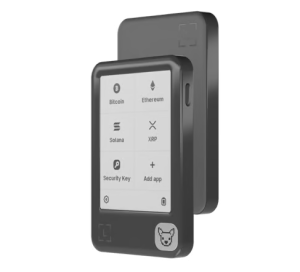
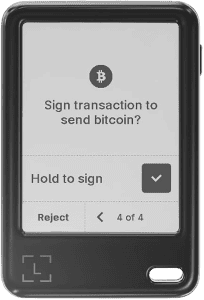
The Gen5 is built in plastic — a durable, lightweight polymer that keeps the device at just 46 grams. It is the lightest touchscreen hardware wallet on the market. At 79.40 × 53.35 × 8.64mm, it sits comfortably in a palm, disappears into any pocket, and is genuinely inconspicuous for daily carry.
The rounded edges feel comfortable in hand. The build is solid — there is no flex or creaking. But there is no mistaking the material for anything but plastic. Compared to the Flex sitting next to it, the Gen5 reads as the affordable option.
The only personalization option at launch is Ledger’s Susan Kare badge collection — magnetic decorative accessories designed by the original Macintosh icon designer. They are optional, sold separately, and have no functional purpose. For users who appreciate the Mac design history reference, they are a pleasant detail.
Ledger Flex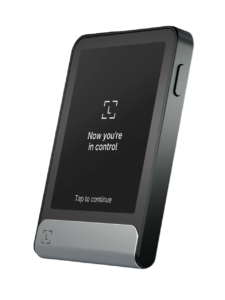
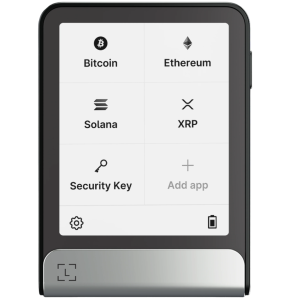
The Flex uses an aluminum frame with a plastic rear panel. The front display is protected by Gorilla Glass with an anti-glare coating. It weighs 57.5 grams — still light, but perceptibly heavier than the Gen5. The additional weight comes from the aluminum frame and Gorilla Glass, and it contributes to a noticeably more premium feel.
The Gorilla Glass protection is practically meaningful. It prevents screen scratching from keys, coins, and general pocket carry — the kind of wear that will eventually mark the unprotected Gen5 display. Over a multi-year ownership period, this is worth considering.
The Flex is available in Black, Pink, and Blue. It also supports Ledger’s Magnetic Folio case and customizable lock screen images — a feature that lets you display a custom image, NFT, or QR code on the screen when the device is idle.
Build verdict: Flex wins clearly — aluminum, Gorilla Glass, multiple colors, and Folio case support at 57.5g vs Gen5’s plastic at 46g. Whether those physical differences are worth $70 is personal.
Display: The Most Important Difference
The display is the single biggest functional difference between these two devices, and it is underreported in most comparison articles.
Both devices use E-Ink touchscreen technology — a smart choice for battery efficiency and outdoor readability. E-Ink consumes power almost exclusively during screen refreshes, not while displaying static content. Both displays are excellent in direct sunlight where backlit LCD screens wash out.
The difference is in grayscale depth.
Gen5 Display: 2-Shade (Black and White)
The Gen5 renders everything in pure black and white. Text is crisp, addresses are readable, and amounts are clear. For straightforward transactions, the monochromatic display is entirely functional.
The limitation becomes apparent with complex DeFi transactions, NFT approvals, and multi-step contract interactions where visual hierarchy — using different shades to differentiate primary information from secondary details — would help the user quickly identify the most important fields to verify.
Resolution: 300×400px, 181 ppi.
Flex Display: 16-Shade Grayscale
The Flex’s display renders 16 shades of gray across a 480×600 pixel resolution. Text is sharper. Addresses are more legible. Transaction details have visual depth that the Gen5’s flat black-and-white cannot reproduce. Long Ethereum contract interaction screens, which can contain substantial amounts of text, are noticeably easier to read and verify on the Flex.
The Flex also supports a custom lock screen image — an image, NFT thumbnail, or QR code visible when the device is idle. This is a cosmetic feature primarily, though displaying a QR code for your most-used receiving address has some practical utility.
The anti-glare coating on the Gorilla Glass reduces reflections in mixed lighting — a small but real comfort improvement in office environments.
Display verdict: Flex wins decisively. The 16-shade grayscale at higher resolution is a meaningful improvement for transaction verification, not just an aesthetic one. If you regularly sign complex DeFi transactions or multi-token approvals, this matters.
Security Architecture: What They Share
This section is short because the answer is simple: from a hardware security standpoint, the Gen5 and Flex are the same device.
- Both use the ST33K1M5 Secure Element, certified at Common Criteria EAL6+ — the same tier used in biometric passports and banking hardware security modules.
- Both run Ledger BOLOS with identical application sandboxing. Both have the Certified Secure Screen driven directly by the Secure Element chip.
- Both support Clear Signing (ERC-7730) and Transaction Check for Ethereum and EVM-compatible chains.
There is no security argument for buying the Flex over the Gen5. The private keys are equally protected. The transaction signing architecture is identical. The firmware security model is the same.
If your only reason for considering the Flex is security, save the $70 and buy the Gen5.
The one security-adjacent consideration is the display quality discussed in Section 4 — verifying complex transactions more easily on the Flex’s sharper screen is a practical advantage, even if the underlying security architecture is identical.
Security verdict: Tie — identical hardware and firmware security architecture.
Connectivity
Both devices support the same connectivity options:
- USB-C — Wired connection to Windows, macOS, and Linux computers for the full Ledger Wallet app experience
- Bluetooth 5.2 — Wireless connection to iOS and Android devices; private keys never transmitted over Bluetooth
- NFC — Used for Ledger Recovery Key backup and Ledger Security Key (FIDO2) authentication
The implementation and performance of these features is identical between the two devices. Bluetooth pairing, NFC response time, and USB-C recognition work the same way on both.
One minor note from community feedback: some users reported Bluetooth connection lag on early Gen5 Bluetooth firmware, with intermittent disconnection during long DeFi sessions on Android. Ledger has addressed this in subsequent firmware updates, but it is worth verifying you are running the latest firmware on any Gen5 before extended wireless use.
Connectivity verdict: Tie.
Battery Life
This is the counterintuitive difference that almost no comparison article covers: the Gen5 has a bigger battery than the Flex.
Gen5: 330mAh LiFePO₄ battery Flex: 200mAh lithium-ion battery
LiFePO₄ (Lithium Iron Phosphate) chemistry is also more stable and longer-lived than standard lithium-ion, delivering more charge cycles before capacity degradation. In a device you plan to own for several years, chemistry longevity matters.
In practical terms, both devices will last a typical signing session without issue — neither requires daily charging. But the Gen5’s larger, more stable battery gives it a modest edge for users who travel frequently, go extended periods without access to USB-C charging, or use the device heavily over many years.
The Flex’s slightly larger 200mAh figure is offset by the Gen5’s superior chemistry. Both should last weeks in standby and several hours in active use.
Battery verdict: Gen5 wins — both larger capacity and superior battery chemistry, despite being the cheaper device.
App Storage and Coin Support
Both devices have 1.5MB of internal storage — enough for approximately 10–15 blockchain apps simultaneously, depending on app size. Bitcoin and Ethereum apps typically run 70–150KB each.
Deleting an app removes the software only — your funds, keys, and accounts are fully preserved and restore immediately on reinstallation. If you manage assets across more than 15 chains simultaneously, app rotation is a minor workflow consideration on both devices.
Coin support is marginally broader on the Flex (5,500+ vs 5,000+), largely due to the Flex’s longer time on the market and the accumulation of more community-developed third-party apps. The practical difference for most users is negligible.
App storage verdict: Tie — same 1.5MB storage, near-identical coin support.
Setup and Daily Use Experience
Both devices set up through the Ledger Wallet app (available on Windows, macOS, Linux, iOS, and Android) using the same process: connect via USB-C or Bluetooth, run the Genuine Check firmware verification, set a PIN on the device, and back up your 24-word recovery phrase on the included Recovery Sheet and Ledger Recovery Key NFC card.
The setup experience is essentially identical on both devices. First-time users will find the touchscreen interface intuitive on both. Returning Ledger users upgrading from a Nano X or Nano S Plus will find the touchscreen navigation dramatically more comfortable than the button-based interface on older models.
Where the daily use difference appears: On the Flex’s 16-shade grayscale display, reading long Ethereum contract interaction screens during DeFi transactions is measurably more comfortable than on the Gen5’s monochromatic display. If you sign 3–5 transactions per week across standard crypto transfers, you will not notice the difference. If you sign 20+ transactions per week including complex DeFi interactions, the Flex’s display reduces eye strain and verification friction meaningfully.
The six-step approval concern: Community feedback at launch raised a recurring complaint that the Gen5 (and Flex) transaction approval flow requires up to six steps for complex contract interactions. This is a deliberate security design choice — each step forces explicit confirmation of a specific transaction detail. Power users who find this too slow for high-volume trading should note it applies equally to both devices; the Flex’s better display makes each step faster to read, but does not reduce the number of steps.
Side-by-Side Use Cases
Use case |
Better choice |
Reason |
|---|---|---|
First-time hardware wallet buyer |
Gen5 |
Full security at $70 less; no features wasted |
Upgrading from Nano S / Nano S Plus |
Gen5 |
Massive improvement from button nav; $70 saving justified |
Upgrading from Nano X |
Flex |
Pays to get full premium upgrade; display difference worth it |
Daily DeFi user (10+ txns/week) |
Flex |
Sharper screen reduces verification friction meaningfully |
Long-term cold storage (rarely used) |
Gen5 |
Security is identical; premium build irrelevant for a vault device |
Mobile-first user |
Tie |
Bluetooth and iOS support identical on both |
Security-maximalist |
Tie |
Same chip, same firmware, same Secure Screen |
Budget-conscious buyer |
Gen5 |
$70 saved, zero security compromise |
Premium experience matters |
Flex |
Aluminum + Gorilla Glass + 16-shade display |
Carry every day in a pocket |
Gen5 |
46g plastic; less anxiety about scratches |
Portfolio across 20+ chains |
Both |
App rotation required on both; same 1.5MB limit |
Gift for a crypto beginner |
Gen5 |
Lower cost; same proven security for someone learning |
Who Should Buy the Ledger Nano Gen5?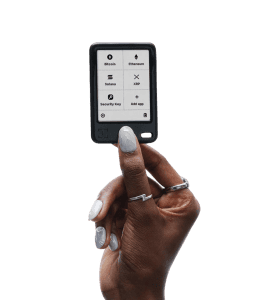
The Gen5 is the right choice if any of these describe you:
You are a first-time hardware wallet buyer. The Gen5 delivers full EAL6+ certified security — the same chip as the Flex — at $179. There is no security penalty for buying the Gen5. The $70 saved is better spent on a titanium seed phrase backup plate or a second wallet for multisig configuration.
You are upgrading from a Nano S, Nano S Plus, or early Nano X. If you are coming from a button-navigation Nano device, the Gen5 is an enormous leap in usability. The touchscreen alone transforms the experience. You do not need to pay $249 to get that improvement.
Your hardware wallet lives in a safe or drawer. If you primarily use your hardware wallet as a cold storage vault — accessing it infrequently for large transfers — the build quality and display differences of the Flex are irrelevant. The security architecture is identical. Spend the $70 elsewhere.
You are a light-to-moderate user. If you sign fewer than 5–10 transactions per week and most of them are straightforward transfers rather than complex DeFi interactions, the monochromatic display is entirely adequate.
Compact portability matters. At 46g in plastic, the Gen5 is the least conspicuous hardware wallet you can carry. If discretion and lightness matter to your lifestyle, the Gen5 has the clear edge.
Who Should Buy the Ledger Flex?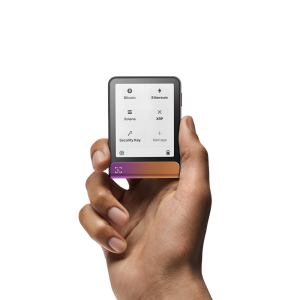
The Flex earns its $70 premium in these specific situations:
You use your hardware wallet regularly — and intensively. If you are signing 10+ transactions per week, managing DeFi positions, interacting with complex smart contracts, or approving multi-step NFT transactions, the Flex’s 16-shade grayscale display makes every signing session noticeably less friction. Over hundreds of sessions per year, that adds up.
You are upgrading from a Nano X and want a complete step up. Nano X owners who are spending $249 to upgrade should get everything the Flex offers: better display, aluminum build, Gorilla Glass, multiple colors, and Folio case support. The Gen5 at $179 is a strong improvement over the Nano X, but if you are spending the money anyway, the Flex delivers a more complete upgrade.
Physical durability is a priority. If your hardware wallet gets carried in a bag or pocket daily alongside keys, coins, and other objects, the Gorilla Glass and aluminum frame on the Flex will age better than the unprotected plastic display of the Gen5.
Display quality is part of your security practice. If you are the kind of user who carefully reads every line of a transaction before approving — and there are good reasons to be — the Flex’s sharper, higher-resolution display makes that verification habit more sustainable.
Aesthetics matter to you. You want the Folio case, the Pink or Blue color option, or the lock screen NFT display. These are legitimate preferences, not frivolous ones. The Flex is a premium consumer device and it looks and feels like one.
Final Verdict
The Ledger Nano Gen5 and Ledger Flex are the same device at the level that matters most: your private keys are equally protected on both. The EAL6+ Secure Element, Certified Secure Screen, Ledger BOLOS firmware, Clear Signing, and Transaction Check are identical. If a sophisticated attacker is trying to compromise your hardware wallet, they face identical resistance from either device.
The choice between them is a usability and lifestyle decision.
Buy the Gen5 ($179) if: you want the best security-per-dollar in Ledger’s lineup, you are a first-time buyer or upgrading from an older button-navigation Nano, your wallet lives in a safe more than your pocket, or you sign fewer than 10 transactions per week.
Buy the Flex ($249) if: you use your hardware wallet intensively and daily, clear transaction readability on complex DeFi interactions genuinely matters to you, physical build quality and Gorilla Glass protection are worth $70 in your estimation, or you want the full premium Ledger experience including color options and Folio case support.
The Gen5 is the smarter buy for most people. The Flex is the better device for active users. Knowing which category you fall into is the entire decision.
FAQ
Is the Ledger Nano Gen5 as secure as the Ledger Flex?
Yes — completely. Both use the identical ST33K1M5 EAL6+ Secure Element chip, run the same Ledger BOLOS firmware, and have the same Certified Secure Screen architecture. The security model for your private keys is identical on both devices. The $70 price difference buys display quality and build materials — not security.
What is the main difference between the Gen5 and the Flex?
The display and the build. The Flex has a 16-shade grayscale display at higher resolution, protected by Gorilla Glass, in an aluminum frame. The Gen5 has a monochromatic black-and-white display in a plastic housing. Everything else — the security chip, firmware, features, app storage, and connectivity — is the same.
Does the Gen5 have a better battery than the Flex?
Yes, counterintuitively. The Gen5 has a 330mAh LiFePO₄ battery vs the Flex’s 200mAh lithium-ion battery. LiFePO₄ chemistry also provides more charge cycles before degradation. The Gen5 has both larger capacity and superior battery chemistry despite costing $70 less.
Which is better for a beginner — Gen5 or Flex?
The Gen5. It delivers full EAL6+-certified security — identical to the Flex — at $70 less. A beginner does not need the Flex’s premium display or aluminum build to safely store crypto. The $70 saved is better used elsewhere in their security setup.
Can I upgrade from Ledger Flex to Gen5 or vice versa?
Yes. Both devices support the same 24-word BIP39 recovery standard. You can restore your accounts on either device using your existing seed phrase with no loss of funds or transaction history. Switching between devices is straightforward.
Does the Flex support more coins than the Gen5?
Marginally. The Flex supports 5,500+ assets; the Gen5 supports 5,000+. The practical difference for most users is zero — both cover Bitcoin, Ethereum, Solana, XRP, and all major chains comprehensively. The gap narrows further with third-party wallet integrations.
Is the Ledger Flex worth the extra $70 over the Gen5?
It depends on how you use your wallet. For frequent users — especially those who regularly interact with DeFi protocols and complex smart contracts — the Flex’s sharper display is a meaningful daily quality-of-life improvement. For light users and cold storage holders, the security is identical at $70 less and the Gen5 is the smarter buy.
Does either device support wireless charging?
No. Neither the Gen5 nor the Flex supports wireless (Qi) charging. Both charge via USB-C. Wireless charging is currently exclusive to the $399 Ledger Stax within Ledger’s lineup, and to the Trezor Safe 7 ($249) among competing devices — which includes a free Qi2 charger in the box.
Reviewed and published in May 2026 by Samson Ononeme, founder of MarketsXplora. Specifications verified against Ledger’s official product pages. Battery chemistry data verified against Ledger’s technical documentation. This article is updated quarterly. For our individual device reviews, see our Ledger Flex Review and our Ledger Nano Gen5 Review.
Related Articles
About the author
Samson Ononeme is the founder of MarketsXplora, an independent financial education and research platform covering cryptocurrency, forex, brokers, exchanges, trading platforms, and blockchain technology. He has more than 12 years of experience in financial content, with bylines at EarnForex, Kryptomoney, Cryptorunner, and AtoZ Markets. He turns complex financial products into clear, practical information that readers can use when they compare their options. Connect on LinkedIn and X.